Topstep NinjaTrader Connection: Step-By-Step Guide for Traders
Connecting your Topstep account to NinjaTrader can be challenging, especially when data feeds fail or login credentials are unclear. If you want to trade Topstep accounts using NinjaTrader, this guide will walk you through the Topstep NinjaTrader connection step by step, helping you avoid common mistakes and fully leverage NinjaTrader’s advanced charting and order flow tools.
Key Takeaways
-
Connecting Topstep with NinjaTrader requires using R|Trader Pro or CQG as a bridge.
-
Always log in to R|Trader Pro first and ensure Market Data, Orders, and Plug-ins are enabled.
-
Install NinjaTrader, activate Multi-Provider Mode, and add the Topstep-Rithmic connection.
-
NinjaTrader offers advanced charting, custom indicators, and order flow features, though setup is more complex than TopstepX or Tradovate.
-
Save workspaces, use chart templates, and customise indicators to optimise your workflow.
1. Does Topstep Support NinjaTrader?
Topstep does support NinjaTrader, but not via direct connection. To trade Topstep accounts on NinjaTrader, you need R|Trader Pro or CQG as a bridge. Many traders encounter difficulties at this stage due to incorrect login information or confusion about setup.
 |
| Does Topstep support NinjaTrader? |
Benefits of using NinjaTrader with Topstep:
-
Advanced charting for futures and forex
-
Custom indicators and in-depth analysis
-
Order flow tracking and visualisation
Drawbacks:
-
More complex setup than TopstepX/Tradovate
-
Requires running R|Trader Pro or CQG
2. Steps to Connect Topstep to NinjaTrader
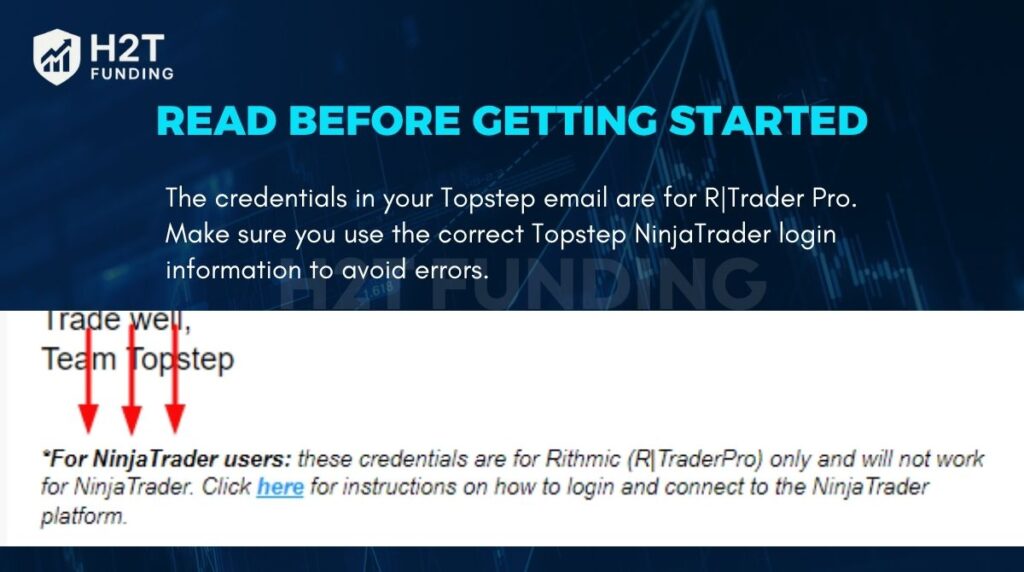 |
| The credentials in your Topstep email are for R/Trader Pro |
2.1. Preparation
-
Use the correct login information from your Topstep email for R|Trader Pro.
-
Always start R|Trader Pro before opening NinjaTrader.
-
Allow .NET Framework updates during installation if prompted.
2.2. Connect to R|Trader Pro
-
Download R|Trader Pro (version 17.1.0.0 or higher).
-
Enter your Topstep credentials (User ID & Password).
-
Set System: TopstepTrader and Gateway: Chicago Area.
-
Turn ON Orders, Market Data, and Allow Plug-ins.
2.3. Create a NinjaTrader Account
-
Go to NinjaTrader’s registration page and enter your email manually.
-
Create a unique username and password, different from any Tradovate account.
-
NinjaTrader 8 is mandatory for new Topstep accounts.
2.4. Install the NinjaTrader Desktop App
-
Download and install the latest version.
-
Log in using your NinjaTrader credentials.
-
Verify the version: Help → About.
2.5. Enable Multi-Provider Mode
-
Tools → Options → General → Preferences → check Multi-Provider → Apply → OK.
-
Restart NinjaTrader.
2.6. Add Topstep-Rithmic Connection
-
Connections → Configure → Rithmic → Add.
-
Enter: Connection Name = Topstep, Connect on Start-Up, Username/Password same as R|Trader Pro, System = TopstepTrader, enable Plug-in mode.
2.7. Start Trading
-
Ensure R|Trader Pro is running.
-
NinjaTrader will auto-connect if “Connect on Start-Up” is enabled.
-
Green icon in Control Panel = connection successful.
3. Common Connection Issues & Solutions
-
Incorrect CQG login: double-check credentials from Topstep email.
-
R|Trader Pro not running: NinjaTrader needs R|Trader Pro as a bridge.
-
Market Data not enabled: turn ON Market Data in R|Trader Pro.
-
Network or firewall issues: check firewall, VPN, or restricted network.
-
Incorrect NinjaTrader settings: verify Connect on Start-Up, Plug-in Mode, and Multi-Provider Mode.
4. NinjaTrader vs Other Platforms
| Platform | Strengths | Weaknesses |
|---|---|---|
| TopstepX | Strong technical analysis, large script community, Mac-compatible | Limited charting and customization options |
| NinjaTrader | Advanced charting, custom indicators, detailed order flow tools | Complex setup, requires R |
| Tradovate | Modern interface, easy account management | Less advanced charting/order flow |
| TradingView | Robust technical analysis, Mac-compatible | Limited broker integration, less stable for execution |
5. Tips to Optimise Trading with NinjaTrader
-
Create chart templates: load layouts quickly and consistently.
-
Use custom indicators: improve technical analysis and monitor market conditions.
-
Save workspaces: keep your trading environment consistent.
-
Risk management tools: use alerts, stop losses, and follow Topstep maximum loss rules.
6. Conclusion
Completing the Topstep NinjaTrader connection allows full access to advanced charting, custom indicators, and order flow tools. Following the setup steps, troubleshooting common issues, and optimizing your workspace ensures smooth trading for both evaluation and funded accounts.
Read the full guide here: 🔗 https://h2tfunding.com/topstep-ninjatrader-connection/
#funding #h2tfunding #nganpham #finance #topstepninjatraderconnection #nganphamh2t


Nhận xét
Đăng nhận xét